Five forms, one handoff
Keep the selected inspection form, customer, site and system record together from the start.
 PeriksaPortalInspection, connected
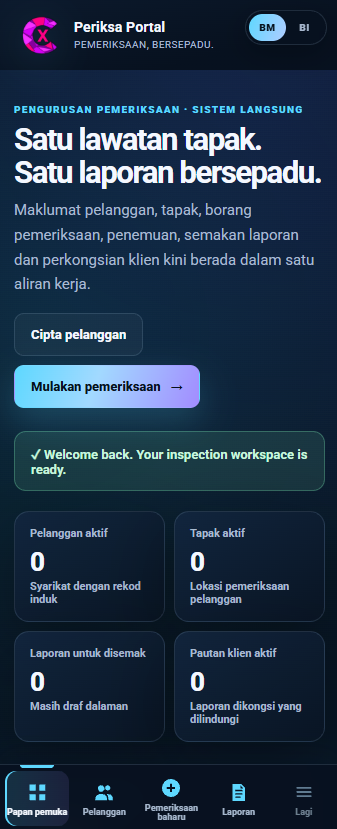
PeriksaPortal brings customer records, mobile inspection forms, evidence photos, report review and secure client sharing into one connected workspace.
Move from customer and site selection to inspection forms, evidence photos and reports through a responsive mobile interface.
When customer history, field notes, photos and reporting live in separate places, every handoff creates another opportunity for delay or missing context.
Keep the selected inspection form, customer, site and system record together from the start.
Capture answers and evidence on site so the report record is already taking shape before you leave.
Release the report when it has been reviewed, then share one protected client link.
PeriksaPortal follows the real sequence of inspection work: prepare, capture, review, release and retain the history for reference.
Maintain customers, contacts and inspection sites so every inspection starts with the correct context.
Create the inspection form your operation needs and reuse it consistently across sites and teams.
Upload files or take photos from a phone within the relevant question group.
Review the report, keep its status visible and release a protected client link only when ready.
Build reusable forms for the work your company performs and keep every report organised in the same workspace.
Keep the field team, reviewer and client aligned around one record that moves forward as the work is completed.
Choose the customer, site, system and inspection form.
Complete questions, readings, findings and evidence photos from mobile.
Check the report draft, status and sections before it leaves the team.
Publish a protected link, print or save PDF, and share through WhatsApp.
Evidence attached to this question
3 photos readyInspectors can work from a phone, keep every numbered question clear, add photos beside the relevant evidence section and submit the record without switching between disconnected tools.
The system carries the inspection context, responses and evidence into a structured report record so the team can focus on review.
Keep the report in its proper status, then give the client a clear way to view or save the final document.
The client view is separate from staff controls, helping the customer receive the report without exposing the working portal.
Keep administration, review and field capture organised with separate portal access roles.
Maintain customers, sites, systems, users, settings and the overall report library.
Review inspection records and report content before the client link becomes available.
Complete the correct mobile form, record findings and attach evidence while on site.
Start with the forms your team already uses, then give every inspection a consistent path from customer record to approved client report.